RC Details – Check RC Details Online, Vehicle owner details by number plate
Check RC details, vehicle details, or vehicle owner details by number plate. Get accurate vehicle registration, owner name, and RTO details in seconds.
Enter Vehicle Number
Select Location
All vehicle registration records in India are maintained under:
What Is RC Details?
RC details are the complete official records of a vehicle's registration maintained in India's VAHAN system, containing legally recognized information about the vehicle and its registered owner linked to the registration number.
Legal Basis – Why RC Details Matter
Under the Motor Vehicles Act, 1988:
- Every motor vehicle must be registered.
- Ownership must be officially recorded.
- Registration details must be updated during transfer.
- Driving without valid registration can attract penalties.
This makes checking vehicle registration details legally important — especially before resale or transfer.
What Information Do Vehicle RC Details Contain?
When you check vehicle details online, you can see:
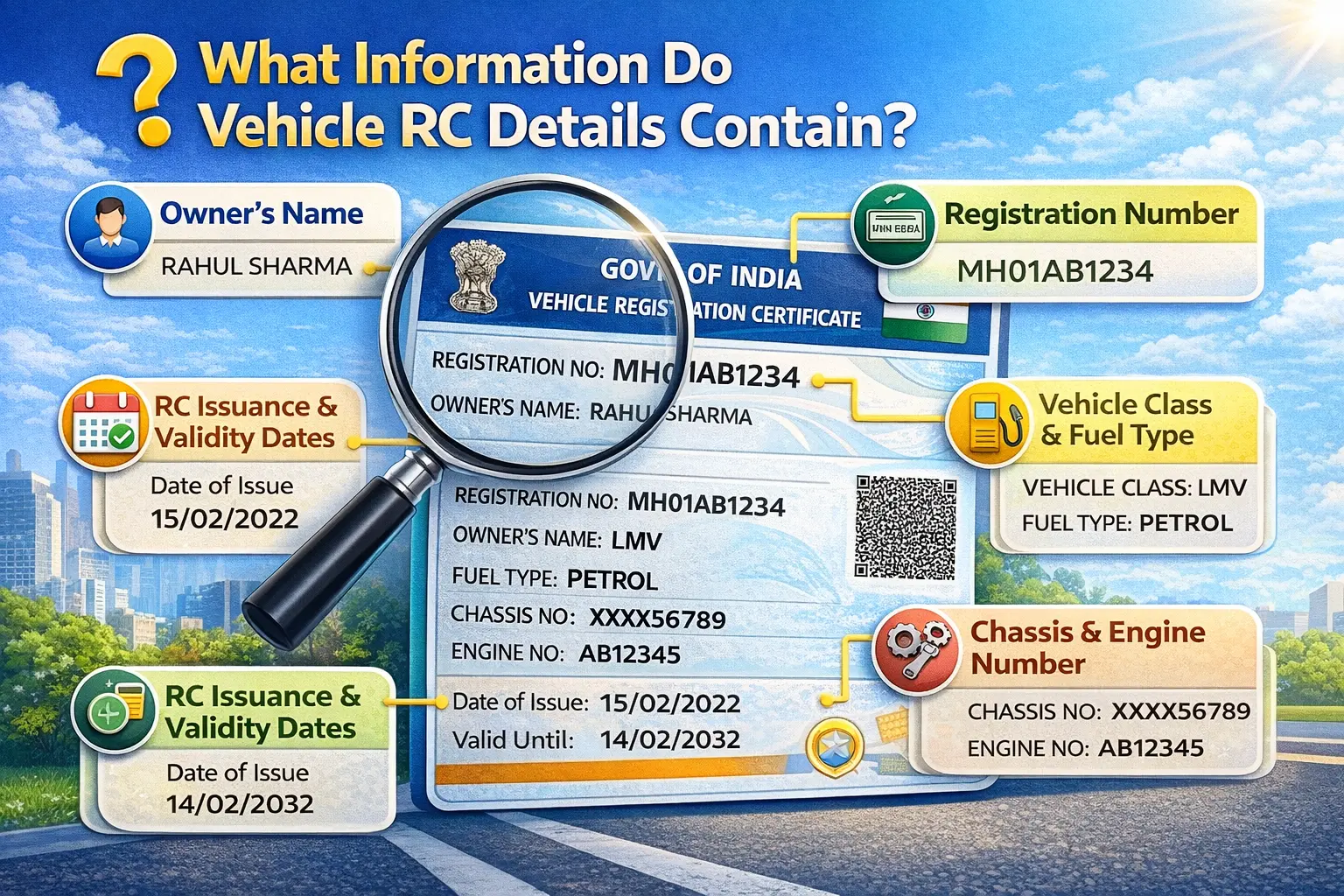
Registration Information
- • Vehicle registration number
- • Registration date
- • Registration validity
Owner Information
- • Registered owner name
- • Ownership transfer status
- • Hypothecation details (loan status)
Vehicle Specifications
- • Vehicle class (LMV / Transport)
- • Fuel type
- • Engine number
- • Chassis number
- • Manufacturer & model
Insurance & Permit Status
- • Insurance validity
- • Permit (for commercial vehicles)
- • Fitness certificate (transport vehicles)
All of this comes from the centralized VAHAN system.
Vehicle Details vs RC Details vs Vehicle Owner Details
Users often search different terms, but intent is similar.
| Search Term | Meaning |
|---|---|
| RC details | Registration certificate data |
| Vehicle details | Broader term for registration info |
| Vehicle owner details | Owner-specific info |
| Vehicle registration details | Official registration record |
| Vehicle number details | Data using number plate |
All of these pull data from the same VAHAN database.
How to Check RC Details Online (Official Method)
Method 1 – Check Vehicle Details Via Parivahan Portal
Parivahan Sewa provides official access.
Steps:
- Visit Parivahan portal.
- Click "Know Your Vehicle Details".
- Enter vehicle registration number.
- Complete OTP verification.
- View complete RC details online.
You can:
- Check vehicle owner details
- Check vehicle registration details
- Verify insurance status
- Confirm RTO details
How to Check Vehicle RC Details by mParivahan
mParivahan allows mobile access.
Steps:
- Install app from Play Store or App Store.
- Register with mobile number.
- Add vehicle using registration number.
- Verify OTP.
- Access digital vehicle details instantly.
Virtual RC and vehicle details shown in mParivahan are legally valid during traffic checks. You can also use Virtual RC online.
VAHAN Vehicle Details – Central Database Explained
VAHAN is India's national vehicle registry. All state RTOs update their data into VAHAN. When you check vahan vehicle details, you are accessing this central database.
It stores:
- Car RC details
- Bike RC details
- Commercial vehicle records
- Ownership transfer updates
- Loan/hypothecation records
How to Check Vehicle Owner Details by Number Plate
To check vehicle owner details by number plate:
- Use Parivahan portal.
- Enter registration number.
- Complete OTP.
- View owner name & registration details.
Important:
Due to privacy laws, full residential address is not publicly shown.
Used Vehicle Buying Guide – Complete Verification Checklist
Before buying a second-hand vehicle:
Step 1: Check Vehicle Registration Details
Confirm registration number matches documents.
Step 2: Verify Owner Name
Match seller name with RC owner details.
Step 3: Check Hypothecation
Ensure no active loan exists.
Step 4: Verify Insurance Validity
Expired insurance = legal risk.
Step 5: Match Engine & Chassis Number
Physically inspect vehicle.
Step 6: Confirm RC Status
Check whether transfer is pending.
This prevents fraud and financial loss.
RTO Vehicle Owner Details – What Can You See?
When checking rto vehicle owner details, you can see:
- Owner name
- RTO code & location
- Registration validity
- Vehicle category
- Insurance status
Sensitive personal information is protected.
Common Problems While Checking RC Details
| Issue | Possible Cause |
|---|---|
| Registration Not Found | Vehicle may not be digitized. |
| OTP Not Received | Mobile not linked. |
| Owner Name Incorrect | Transfer pending. |
| Server Error | High traffic or maintenance. |
Solution: Retry later or use mParivahan app.
Why You Should Avoid Random Vehicle Detail Apps
Some third-party apps claim:
- Full owner address
- Phone number
- Detailed personal info
Be careful.
Official platforms like Parivahan, VAHAN, and mParivahan ensure:
- Accurate data
- Legal compliance
- Privacy protection
- Updated records